If you are using the internet regularly, it is highly unlikely that you have not encountered the term peer-to-peer or P2P. Whether it was mentioned in a news article, on TV, or in a conversation with a friend, who told you that he just downloaded the latest version of Linux through P2P, you may have stumbled upon this term. If you want to know what peer-to-peer networks are, what P2P is used for, and also see some peer-to-peer network examples, you should read this article:
What is a peer-to-peer network?
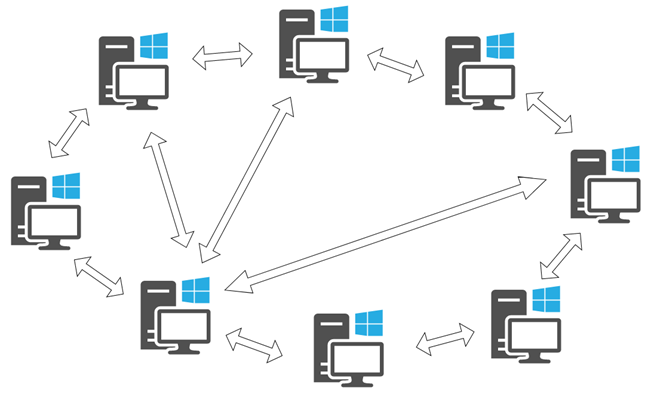
Peer-to-peer, or P2P in its abbreviated form, refers to computer networks using a distributed architecture. In P2P networks, all the computers and devices that are part of them are referred to as peers, and they share and exchange workloads. Each peer in a peer-to-peer network is equal to the other peers. There are no privileged peers, and there is no primary administrator device in the center of the network.
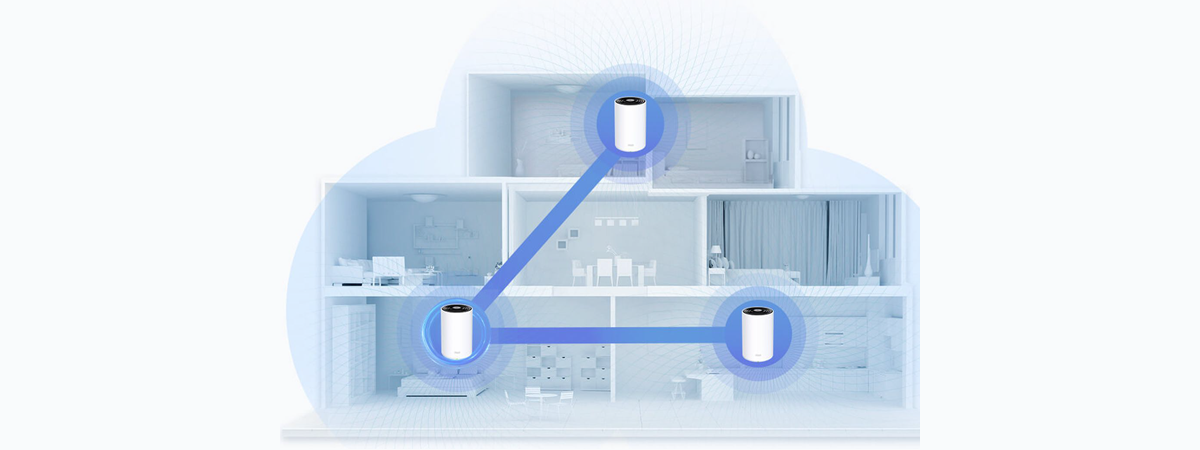
A simulation of a peer-to-peer network
In a way, peer-to-peer networks are the most egalitarian networks in the computer world. Each peer is equal to the others, and each peer has the same rights and duties as the others. Peers are both clients and servers at the same time.
In fact, every resource and each asset that's available in a peer-to-peer network is shared among peers, without any central server being involved. The shared resources in a P2P network can be things such as processor usage, disk storage capacity, or network bandwidth.
What is P2P (peer-to-peer) used for?
The primary goal of peer-to-peer networks is to share resources and help computers and devices work collaboratively, provide specific services, or execute specific tasks. As mentioned earlier, P2P is used to share all kinds of computing resources such as processing power, network bandwidth, or disk storage space. However, the most common use case for peer-to-peer networks is the sharing of files on the internet. Peer-to-peer networks are ideal for file sharing because they allow the computers connected to them to receive files and send files simultaneously.
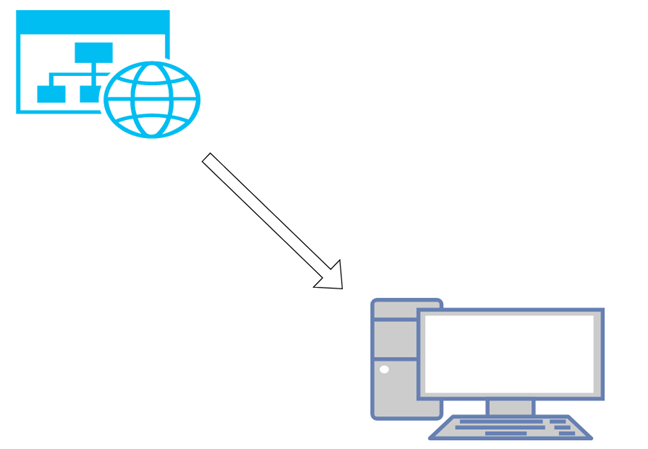
Imagine this situation: you open your web browser and visit a website where you download a file. In this case, the website works as a server, and your computer acts as a client receiving the file. You can compare it to a one-way road: the file that you download is a car that goes from point A (the website) to point B (your computer).
Content that's transferred from a network or from the internet to a computer
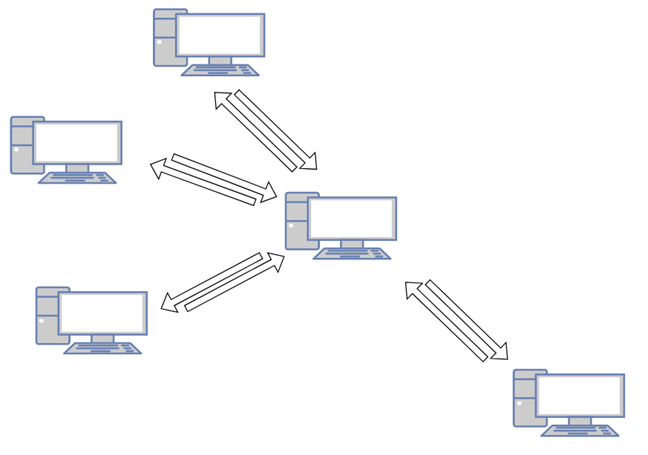
When you download the same file from a peer-to-peer network, using a BitTorrent platform as a starting point, the download is performed differently. The file is downloaded to your computer in bits and parts that come from many other computers that also connected to the same P2P network and already have that file or at least parts of it. At the same time, the file is also sent (uploaded) from your computer to other devices that are asking for it. This situation is similar to a two-way road: the file is like multiple small cars coming to your PC, while also leaving to others when it is requested.
Multiple peers sharing data between themselves
Why are peer-to-peer networks useful?
P2P networks have some characteristics that make them useful:
It's hard to take them down. Even if one of the peers is shut down, the others are still operating and communicating. For a P2P (peer-to-peer) network to stop working, you have to close down all its peers.
Peer-to-peer networks are incredibly scalable. Adding new peers is easy as you don't need to do any central configuration on a central server.
When it comes to file-sharing, the larger a peer-to-peer network is, the faster it is. Having the same file stored on many of the peers in a P2P network means that when someone needs to download it, the file is downloaded from multiple locations simultaneously.
P2P (peer-to-peer) network examples
We all use peer-to-peer networks to connect computers and devices without the need to configure a server. Having to create a server for everything is expensive and difficult to manage, so in some situations, it's easier and more affordable to use P2P networks. Here are some examples of common use cases for peer-to-peer networks:
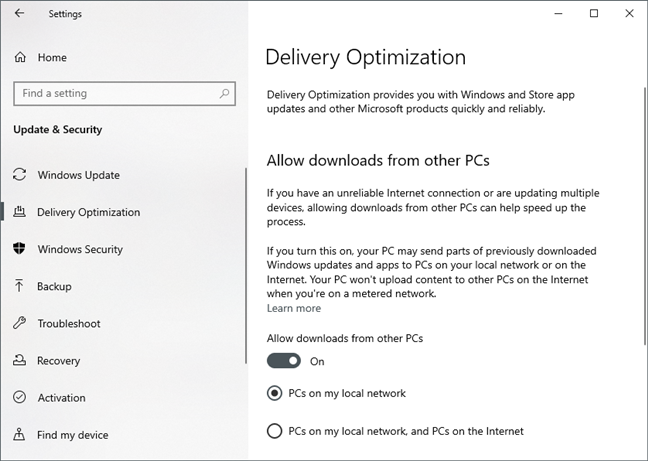
Windows 10 uses peer-to-peer to optimize the delivery of updates
Sharing large files over the internet is often done using a P2P (peer-to-peer) network architecture. For example, some online gaming platforms use P2P for downloading games between users. Blizzard Entertainment distributes Diablo III, StarCraft II, and World of Warcraft using P2P. Another large publisher, Wargaming, does the same with their World of Tanks, World of Warships, and World of Warplanes games. Others, like Steam or GOG, choose not to use P2P and prefer maintaining dedicated download servers around the world.
Many Linux operating systems are distributed via BitTorrent downloads using P2P transfers. Such examples are Ubuntu, Linux Mint, and Manjaro.
In Windows 7 and Windows 8.1, when you create an ad-hoc network between two computers, you create a peer-to-peer network between them.
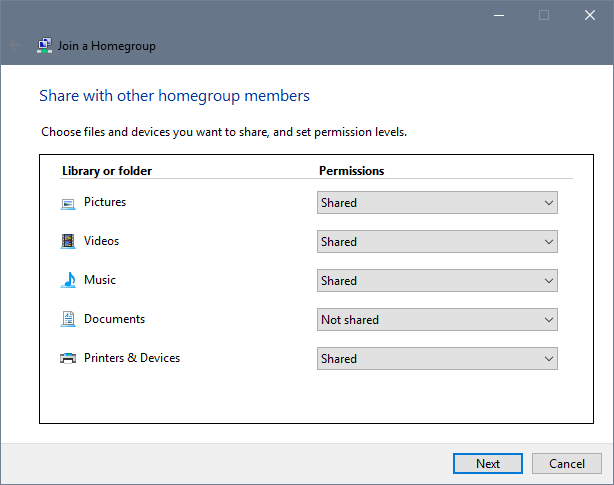
If you're using Windows 7, Windows 8.1, or a Windows 10 version before Version 1803, you can connect the computers in your home to a Homegroup, thus creating a peer-to-peer network between them. The Homegroup is a small group of computers that are connected between themselves to share storage and printers. This is one of the most common uses for peer-to-peer technology. Some people might say that Homegroups can't be peer-to-peer because the computers in the network are connected to a router. However, keep in mind that the router has nothing in common with managing what the computers from the Homegroup share among themselves. The router does not work as a server but merely as an interface or gate between the local network and the internet. If you want, you can find more information about the way Microsoft chose to implement the P2P technology, in these articles: Peer-To-Peer based Features in Win 7, [MS-HGRP]: HomeGroup Protocol, and HomeGroup: A practical guide to domestic bliss with Windows 7.
Unfortunately, peer-to-peer networks are also commonly used for illicit activities. P2P is a controversial technology because it is widely used for piracy. There are many websites on the web that offer access to copyrighted content like movies, music, software, or games, through P2P networks, due to the advantages of this technology. While the technology itself is not illegal and it has many legitimate uses that don't involve piracy, the way some people use P2P is illegal. When using P2P, make sure not to engage yourself in piracy or other activities that are punished by law.
Joining a Homegroup in Windows 10 (version 1709)
P2P networks are one of the most affordable methods of distributing content because they use the bandwidth of peers, not the bandwidth of the content's creator.
The history of P2P (peer-to-peer) networks
The precursor of peer-to-peer networks appears to be USENET, which was developed in 1979. It was a system that allowed users to read and post messages/news. It was a network system similar to the online forums today, but with the difference that USENET did not rely on a central server or administrator. USENET copied the same message/news to all the servers found in the network. Similarly, peer-to-peer networks distribute and use all the resources available to them.
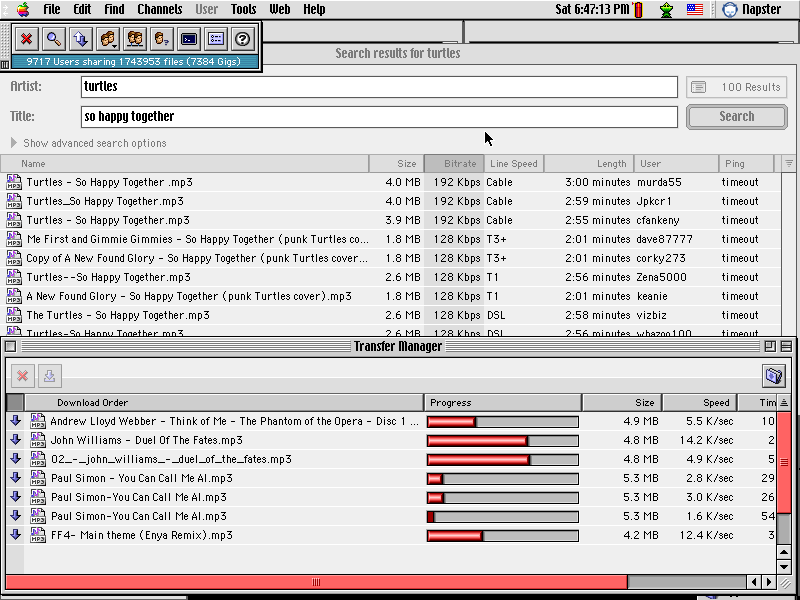
The next big thing in the history of P2P was the year 1999 when Napster came to life. Napster was file-sharing software that was used by people to distribute and download music. The music shared on Napster was usually copyrighted and thus illegal to distribute. However, that did not stop people from getting it. Although Napster was the one that got P2P into the mainstream, Napster ultimately failed and was shut down by authorities because of all the content that was shared illegally on it. Nowadays, P2P remains one of the most popular technologies for sharing files over the internet, both lawfully and unlawfully.
Napster, a program that used P2P
Image source: Wikipedia
Do you have any other questions regarding peer-to-peer networks?
As you have seen in this guide, peer-to-peer is a sophisticated technology that was born and based on a simple principle: decentralization. You know now that its purpose is honest, although it's not always used for the right reasons. Some people argue whether it should be prohibited or not because P2P remains the most important means of distributing copyrighted content unlawfully. However, should a pen be forbidden from use because the writer is terrible at his or her craft?
P2P in the Utopia ecosystem can be used for anything the user needs. In Utopia you can create your own channel, chat, buy/sell/mine cryptocurrency, use the built-in browser (yes, it’s there too), and you don’t have to worry about your confidential data falling into the wrong hands, because all data is encrypted and stored only in your device
Richard ·
A very wordy and repetative account but doesn’t answer any of my questions like how to set up a p2p network without homegroups (I have a new windows 10+ pc and cannot work out how to share stuff on it.)Also I anm looking at cctvs which say they are linkable 2p2 but I don’t see how that works either.
Ok ·
The point of the article wasn’t to teach you how to set one up, read the title Richard: What are P2P (peer-to-peer) networks and what are they used for?
Where in the title did it say it was going to teach you how to set one up? Maybe look up that specific part if your brain can handle that much of a task
Farrukh ·
Nice article… I gain a lot of knowledge about p2p. I observed that there is no discussion about future directions of p2p. Current research and technological gap of p2p need to be explored.
fwy ·
One of the best explaination of P2P I have read. Thanks!
Mihai ·
Thanks! This was a great summary of P2P networks and applications.
Arumugam ·
good explanation understanding thank you
Anonymous ·
Glad to help. 😉 Do not hesitate to subscribe to our newsletter, for more useful tutorials and guides.
Shayan_sky20 ·
Thank you Guys the article was really useful!!
I appreciate the time you spent t provide it











Discussion (9)
P2P in the Utopia ecosystem can be used for anything the user needs. In Utopia you can create your own channel, chat, buy/sell/mine cryptocurrency, use the built-in browser (yes, it’s there too), and you don’t have to worry about your confidential data falling into the wrong hands, because all data is encrypted and stored only in your device
A very wordy and repetative account but doesn’t answer any of my questions like how to set up a p2p network without homegroups (I have a new windows 10+ pc and cannot work out how to share stuff on it.)Also I anm looking at cctvs which say they are linkable 2p2 but I don’t see how that works either.
The point of the article wasn’t to teach you how to set one up, read the title Richard: What are P2P (peer-to-peer) networks and what are they used for?
Where in the title did it say it was going to teach you how to set one up? Maybe look up that specific part if your brain can handle that much of a task
Nice article… I gain a lot of knowledge about p2p. I observed that there is no discussion about future directions of p2p. Current research and technological gap of p2p need to be explored.
One of the best explaination of P2P I have read. Thanks!
Thanks! This was a great summary of P2P networks and applications.
good explanation understanding thank you
Glad to help. 😉 Do not hesitate to subscribe to our newsletter, for more useful tutorials and guides.
Thank you Guys the article was really useful!!
I appreciate the time you spent t provide it